

Table of Contents
Thank you for subscribing to local news. We want to help you get the most out of your subscription. Maximize your experience by activating your online account today!
Account Activation Guide Video
Create a login
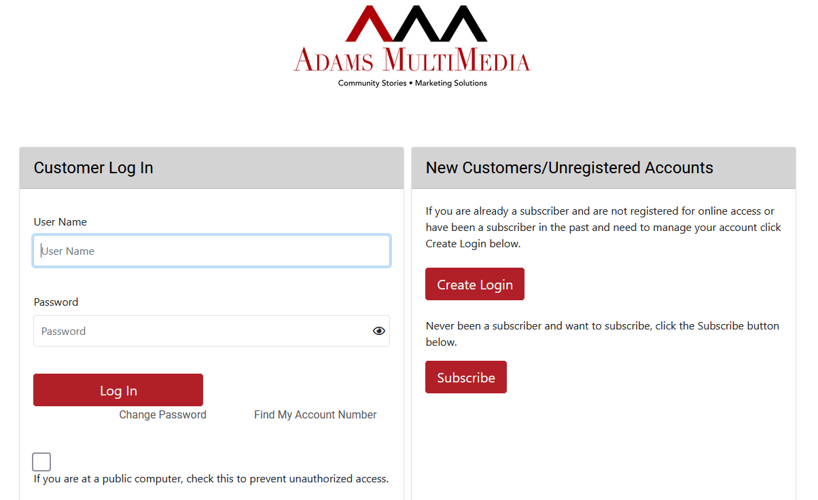
1. Click the Login button in the upper right of the website.

1a. If you already know your username and password, fill out the form on the left side of the page labeled Customer Log In.

1b. If you have a print subscription and need to create a login to use the website, click Create Login on the right side of the page, labeled New Customers/Unregistered Accounts.
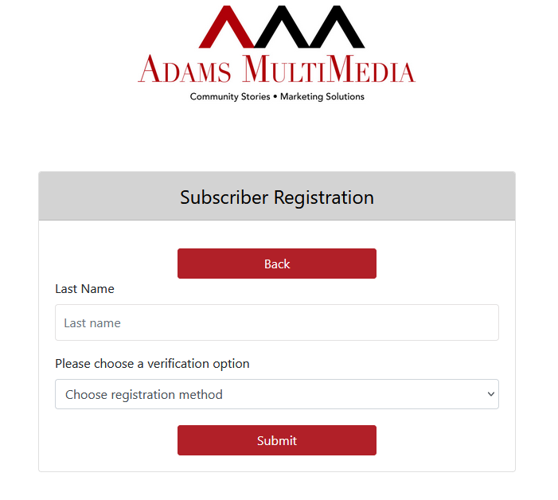
Registration Form
2. If you know your account number, fill out the form.

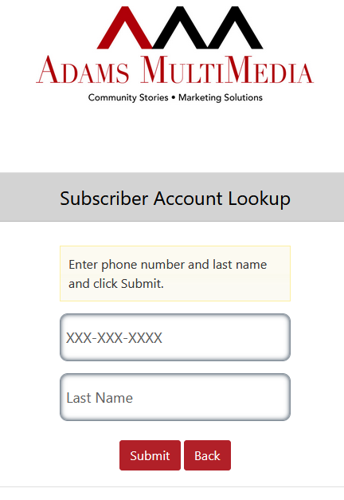
2a. If you don't know your account number, click Find My Account Number, then type in the email address used for your account, and hit Submit. An email will be sent to that address with your account number.

Create Account
3. Once you have filled out the form, click Create Account. You should automatically be logged in and can continue to browse the site!
Important Reminder
All subscriptions include unlimited digital access, including content on both the website and the app. In order to access that content, you will need to first activate your online account and obtain a username and password. If you have already activated your online account, please disregard this reminder.